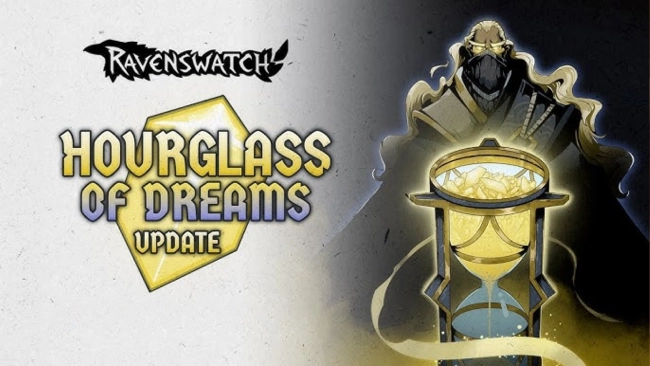
Ravenswatch – The Hourglass of Dreams Free Download

Ravenswatch – The Hourglass of Dreams Free Download

Enjoying this game? Rate it!
Table of Contents
  1. Game Overview
  2. Screenshots
  3. Installation
  4. System Requirements
  5. Setup Guide & Troubleshooting

Game Overview

Ravenswatch - The Hourglass of Dreams PC Download

Ravenswatch – The Hourglass of Dreams pulled me into a world that felt half-remembered, half-nightmare. I wasn’t myself anymore—I was a shadow of a story I’d once heard, a broken hero dragged from a tale and dropped into a land being eaten alive. The Nightmares crept everywhere, twisting the ground, poisoning the sky, and I knew every step forward was one closer to losing myself.

Time was never kind here. The Hourglass loomed over everything, grains of sand falling faster than my heartbeat, reminding me I couldn’t just wander—I had to fight, had to move, had to cut through the dark before it swallowed me whole. And yet, in the chaos, there was beauty: Scarlet dancing between wolf and woman, Geppetto’s creations clattering to life, Aladdin gripping his blade with a grin that hid fear. We were misfits, out of place in this world, but bound together by the one truth left—we couldn’t run anymore.

The battles were brutal. Every swing, every cast, felt heavy, like it mattered more than just surviving the next wave. The Nightmares didn’t break easy—they dragged me down, forced me to dig deep, and when I finally rose again, it felt like I’d stolen back a piece of the light they tried to bury.

Maybe that’s why I stayed. Not because I believed we’d win, but because fighting meant we hadn’t lost yet. And if the desperate stand of Ravenswatch – The Hourglass of Dreams kept you burning, then download Superhero Simulator, because trading legends for masks will show you how fragile even the brightest heroes can be when the weight of the world follows them home.

Screenshots

Installation

  1. To download any game, click the button below to be redirected to any hosting site.
  2. The site can have a timer of 10 seconds, so please wait, and after that click 'download' and wait for the download to complete.
  3. After full downloading, right-click the .zip/.rar/.iso file and then select 'Extract to Ravenswatch – The Hourglass of Dreams' (I suggest you use WinRAR).
  4. Open the folder and run the game as administrator.
  5. If you get any errors such as missing DLL errors, install the program available in the Redist or _CommonRedist folder.

System Requirements

OS
Windows 10 x64 (Version 1909 or newer)
Processor
Intel Core i5-4670K (4 * 3400) / AMD FX-8350 (4 * 4000)
Memory
8 GB RAM
Graphics
GeForce GTX 960 (2048 MB) / AMD Radeon RX 470 (2048 MB)
DirectX
Version 12
Storage
3 GB available space
Published
Updated
File size
4.06 GB
Created by
Passtech Games
Release date
September 17, 2026
Posted by
STEAMUNLOCKED

Something out of date or not working? Report an update

Setup Guide & Troubleshooting

How do I fix missing DLL errors for Ravenswatch – The Hourglass of Dreams?

Open the _Redist or _CommonRedist folder in the Ravenswatch – The Hourglass of Dreams folder. Install DirectX, Vcredist, and any other files there. Then start the game again.

What should I do if the downloaded file is corrupted?

The full file size is 4.06 GB. Make sure the download is complete. Use 7-Zip to extract it. If you still get a "file corrupted" error, download the file again.

Do I need to run Ravenswatch – The Hourglass of Dreams as administrator?

Usually, no. Open Ravenswatch – The Hourglass of Dreams normally from its folder. If you get a permission or save error, make sure the folder allows writing. Use administrator mode only if it is needed.

How do I update my GPU drivers for Ravenswatch – The Hourglass of Dreams?

Ravenswatch – The Hourglass of Dreams needs GeForce GTX 960 (2048 MB) / AMD Radeon RX 470 (2048 MB). Update your NVIDIA or AMD drivers to the latest version for better performance.

Ravenswatch – The Hourglass of Dreams won't launch, what should I try?

First, check that the game was extracted correctly. Also check your PC system requirements. If you see an error, read the message carefully. Missing DirectX or Microsoft Visual C++ Redistributable files may need to be installed.

My antivirus is blocking Ravenswatch – The Hourglass of Dreams, is it safe?

Do not ignore an antivirus warning. Check what your antivirus detected. Keep your antivirus turned on. Do not open or restore the file unless you know the warning is a false positive. If you are not sure, keep the file quarantined.

Need more help? Join our Telegram or Discord community, or contact us.

You May Also Like

0 Comments

Comments are moderated. Plain text only — links aren't allowed.