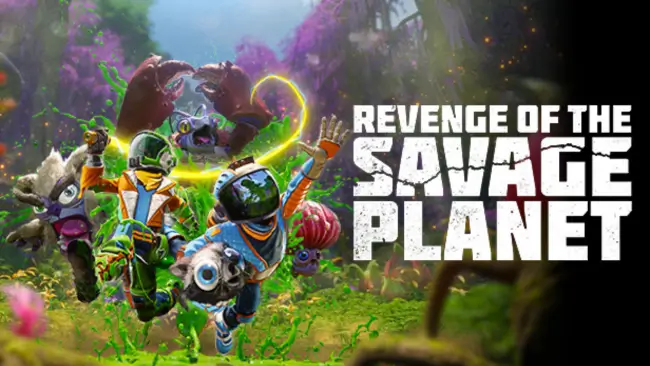
Revenge of the Savage Planet Free Download

Revenge of the Savage Planet Free Download

Enjoying this game? Rate it!
Table of Contents
  1. Game Overview
  2. Screenshots
  3. Installation
  4. System Requirements
  5. Setup Guide & Troubleshooting

Game Overview

Revenge of the Savage Planet PC Download

Revenge of the Savage Planet drops you into a chaotic, colourful universe where your old employer ditches you in deep space, and you're left to fend for yourself on weird alien planets. I started with nothing—just a basic gun, a sarcastic AI named EKO, and a planet full of screaming creatures and goo puddles. Honestly, it was a mess in the best way.

Swapping from first-person to third-person sounded odd, but once I started exploring and kicking aliens into lava, I saw why they did it. You can now watch all the absurd mayhem unfold around you—like when I lassoed a flying blob or accidentally unleashed a herd of explosive puffballs. The co-op makes things even more wild.

Upgrades kept me hooked, so I had to scan creatures, capture them, and hunt down goo to unlock gear. I could also warp to another and dive into a whole new mess of puzzles and critters. And yeah, I built my base out with all the weird junk I hoarded along the way—my space trailer was chaotic.

Sure, the weapon menu felt clunky sometimes. I wish there were a lock-on feature, especially when fighting a dozen enemies simultaneously. But honestly, that didn’t take away much from how much fun I had. With the goofy humour, vibrant worlds, and tons of stuff to collect, Revenge of the Savage Planet felt like a wild cartoon I got to jump into and never take too seriously. For a shift from galactic nonsense to heartfelt invention, you can download Flibbius McDoogle and the Mysterious Flying Machine and experience a delightfully slow-paced quest to take flight.

Screenshots

Installation

  1. To download any game, click the button below to be redirected to any hosting site.
  2. The site can have a timer of 10 seconds, so please wait, and after that click 'download' and wait for the download to complete.
  3. After full downloading, right-click the .zip/.rar/.iso file and then select 'Extract to Revenge of the Savage Planet' (I suggest you use WinRAR).
  4. Open the folder and run the game as administrator.
  5. If you get any errors such as missing DLL errors, install the program available in the Redist or _CommonRedist folder.

System Requirements

OS
Windows 10 64-bit
Processor
Intel Core i5-8400 / AMD Ryzen 5 1600
Memory
8 GB RAM
Graphics
NVIDIA GeForce GTX 1060 / AMD Radeon RX 580 - 6GB VRAM
DirectX
Version 12
Storage
20 GB available space
Published
Updated
File size
12.9 GB
Created by
Raccoon Logic Studios Inc.
Release date
May 8, 2026
Posted by
STEAMUNLOCKED

Something out of date or not working? Report an update

Setup Guide & Troubleshooting

How do I fix missing DLL errors for Revenge of the Savage Planet?

Open the _Redist or _CommonRedist folder in the Revenge of the Savage Planet folder. Install DirectX, Vcredist, and any other files there. Then start the game again.

What should I do if the downloaded file is corrupted?

The full file size is 12.9 GB. Make sure the download is complete. Use 7-Zip to extract it. If you still get a "file corrupted" error, download the file again.

Do I need to run Revenge of the Savage Planet as administrator?

Usually, no. Open Revenge of the Savage Planet normally from its folder. If you get a permission or save error, make sure the folder allows writing. Use administrator mode only if it is needed.

How do I update my GPU drivers for Revenge of the Savage Planet?

Revenge of the Savage Planet needs NVIDIA GeForce GTX 1060 / AMD Radeon RX 580 - 6GB VRAM. Update your NVIDIA or AMD drivers to the latest version for better performance.

Revenge of the Savage Planet won't launch, what should I try?

First, check that the game was extracted correctly. Also check your PC system requirements. If you see an error, read the message carefully. Missing DirectX or Microsoft Visual C++ Redistributable files may need to be installed.

My antivirus is blocking Revenge of the Savage Planet, is it safe?

Do not ignore an antivirus warning. Check what your antivirus detected. Keep your antivirus turned on. Do not open or restore the file unless you know the warning is a false positive. If you are not sure, keep the file quarantined.

Need more help? Join our Telegram or Discord community, or contact us.

You May Also Like

0 Comments

Comments are moderated. Plain text only — links aren't allowed.