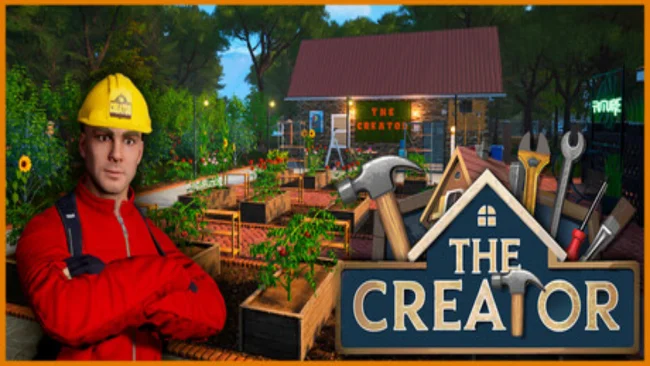
The Creator Free Download

The Creator Free Download

Enjoying this game? Rate it!
Table of Contents
  1. Game Overview
  2. Screenshots
  3. Installation
  4. System Requirements
  5. Setup Guide & Troubleshooting

Game Overview

The Creator PC Download

The Creator felt like the kind of game you don’t rush through — the kind you sit with, slowly turning empty rooms into something alive. The first time I placed a chair by a window, the sunlight hit it just right, and I just stood there for a while, doing nothing, smiling like I’d built something real. There’s no score, no timer, no wrong move. Just me, the sound of quiet music, and endless ways to make a space feel like home.

Sometimes I’d build apartments that looked too perfect — modern, clean, maybe a bit cold. Other times, I’d fill them with mess, books on the floor, plants leaning toward the light, like someone had lived there for years. The game doesn’t tell you what looks good or bad. It just lets you try. And that freedom makes every creation feel like a small part of yourself.

When it rained, I’d move outside, setting up little gardens and benches under trees. The weather would shift, light would fall differently, and suddenly everything I built looked new again.

The Creator isn’t really about design — it’s about breathing life into something still. Every brushstroke, every misplaced lamp, feels like a heartbeat. And if you love that quiet feeling of creation and reflection, then download Refate: Echoes of Desire — it pulls you into a story where emotion and identity are crafted just as carefully, but the world fights back when you try to change it.

Screenshots

Installation

  1. To download any game, click the button below to be redirected to any hosting site.
  2. The site can have a timer of 10 seconds, so please wait, and after that click 'download' and wait for the download to complete.
  3. After full downloading, right-click the .zip/.rar/.iso file and then select 'Extract to The Creator' (I suggest you use WinRAR).
  4. Open the folder and run the game as administrator.
  5. If you get any errors such as missing DLL errors, install the program available in the Redist or _CommonRedist folder.

System Requirements

OS
Windows 7/8/10 64-bit
Processor
Intel or AMD processor, 2.5 GHz or faster
Memory
8 GB RAM
Graphics
NVIDIA GeForce 470 GTX or AMD Radeon 6870 HD series card or higher
DirectX
Version 10
Storage
10 GB available space
Published
Updated
File size
13.8 GB
Created by
Mark Miller
Release date
October 28, 2026
Posted by
STEAMUNLOCKED

Something out of date or not working? Report an update

Setup Guide & Troubleshooting

How do I fix missing DLL errors for The Creator?

Open the _Redist or _CommonRedist folder in the The Creator folder. Install DirectX, Vcredist, and any other files there. Then start the game again.

What should I do if the downloaded file is corrupted?

The full file size is 13.8 GB. Make sure the download is complete. Use 7-Zip to extract it. If you still get a "file corrupted" error, download the file again.

Do I need to run The Creator as administrator?

Usually, no. Open The Creator normally from its folder. If you get a permission or save error, make sure the folder allows writing. Use administrator mode only if it is needed.

How do I update my GPU drivers for The Creator?

The Creator needs NVIDIA GeForce 470 GTX or AMD Radeon 6870 HD series card or higher. Update your NVIDIA or AMD drivers to the latest version for better performance.

The Creator won't launch, what should I try?

First, check that the game was extracted correctly. Also check your PC system requirements. If you see an error, read the message carefully. Missing DirectX or Microsoft Visual C++ Redistributable files may need to be installed.

My antivirus is blocking The Creator, is it safe?

Do not ignore an antivirus warning. Check what your antivirus detected. Keep your antivirus turned on. Do not open or restore the file unless you know the warning is a false positive. If you are not sure, keep the file quarantined.

Need more help? Join our Telegram or Discord community, or contact us.

You May Also Like

0 Comments

Comments are moderated. Plain text only — links aren't allowed.