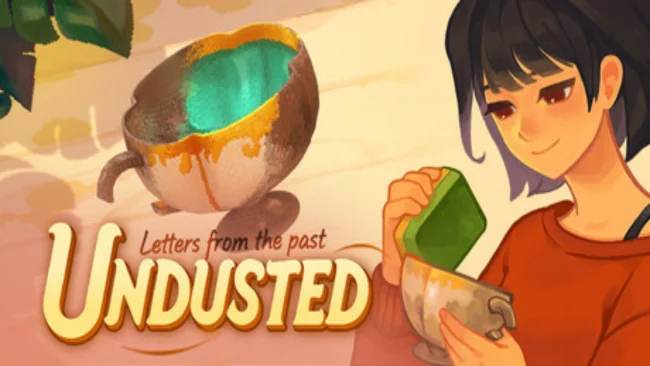
Undusted: Letters from the Past Free Download

Undusted: Letters from the Past Free Download

Enjoying this game? Rate it!
Table of Contents
  1. Game Overview
  2. Screenshots
  3. Installation
  4. System Requirements
  5. Setup Guide & Troubleshooting

Game Overview

Undusted: Letters from the Past PC Download

Undusted: Letters from the Past began softly—just the hum of the wind outside and the smell of dust that hadn’t been disturbed in years. The house felt like a museum of forgotten memories, each corner weighed down by silence. I was supposed to just clean, to make things neat again. But every time my rag touched something—an old photo frame, a teacup, a letter—memories stirred beneath the dust.

My mother’s voice lingered in this house, not in the air, but in the things she left behind. Each object whispered fragments of our story—arguments that never healed, words that were never said, and moments that still glowed quietly in the cracks of time. Cleaning became something more than routine. It was penance. It was forgiveness.

Every brushstroke revealed more than shine; it uncovered guilt, warmth, and grief. The sounds of scrubbing mixed with soft melodies, each motion a heartbeat, each restored item a piece of her I thought I’d lost. And when I found her letters, sealed and waiting, it felt like she’d been speaking to me all along—through the stains, through the silence.

By the time I finished, the house wasn’t spotless—it was alive again. And for the first time, so was I. If Undusted: Letters from the Past left you quiet and aching for what’s been lost, download This Be Mutiny—because whether on sea or shore, some ghosts demand to be faced before you can truly be free.

Screenshots

Installation

  1. To download any game, click the button below to be redirected to any hosting site.
  2. The site can have a timer of 10 seconds, so please wait, and after that click 'download' and wait for the download to complete.
  3. After full downloading, right-click the .zip/.rar/.iso file and then select 'Extract to Undusted: Letters from the Past' (I suggest you use WinRAR).
  4. Open the folder and run the game as administrator.
  5. If you get any errors such as missing DLL errors, install the program available in the Redist or _CommonRedist folder.

System Requirements

OS
Windows 10 (64bit)
Processor
1.8 Ghz Processor
Memory
2 GB RAM
Graphics
A DirectX11-compatible GPU (Shader Model 5.0)
DirectX
Version 11
Storage
2 GB available space
Published
Updated
File size
1.50 GB
Created by
5minlab Corp.
Release date
October 13, 2026
Posted by
STEAMUNLOCKED

Something out of date or not working? Report an update

Setup Guide & Troubleshooting

How do I fix missing DLL errors for Undusted: Letters from the Past?

Open the _Redist or _CommonRedist folder in the Undusted: Letters from the Past folder. Install DirectX, Vcredist, and any other files there. Then start the game again.

What should I do if the downloaded file is corrupted?

The full file size is 1.50 GB. Make sure the download is complete. Use 7-Zip to extract it. If you still get a "file corrupted" error, download the file again.

Do I need to run Undusted: Letters from the Past as administrator?

Usually, no. Open Undusted: Letters from the Past normally from its folder. If you get a permission or save error, make sure the folder allows writing. Use administrator mode only if it is needed.

How do I update my GPU drivers for Undusted: Letters from the Past?

Undusted: Letters from the Past needs A DirectX11-compatible GPU (Shader Model 5.0). Update your NVIDIA or AMD drivers to the latest version for better performance.

Undusted: Letters from the Past won't launch, what should I try?

First, check that the game was extracted correctly. Also check your PC system requirements. If you see an error, read the message carefully. Missing DirectX or Microsoft Visual C++ Redistributable files may need to be installed.

My antivirus is blocking Undusted: Letters from the Past, is it safe?

Do not ignore an antivirus warning. Check what your antivirus detected. Keep your antivirus turned on. Do not open or restore the file unless you know the warning is a false positive. If you are not sure, keep the file quarantined.

Need more help? Join our Telegram or Discord community, or contact us.

You May Also Like

0 Comments

Comments are moderated. Plain text only — links aren't allowed.