Bee Simulator: The Hive Free Download

Bee Simulator: The Hive Free Download

Enjoying this game? Rate it!
Table of Contents
  1. Game Overview
  2. Screenshots
  3. Installation
  4. System Requirements
  5. Setup Guide & Troubleshooting

Game Overview

Bee Simulator: The Hive PC Download

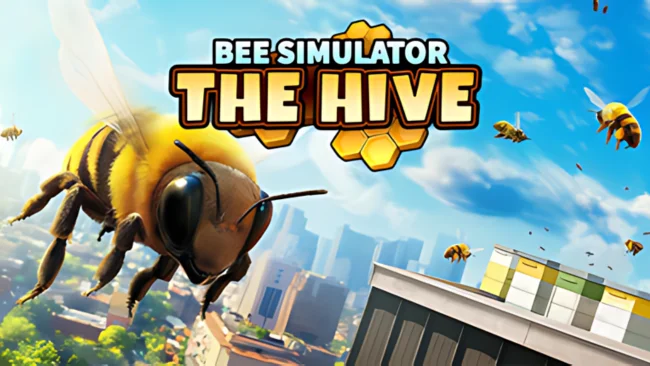
Bee Simulator: The Hive made me feel small—but in the best way. One moment I was darting through the breeze, racing jet streams across a sunlit park, and the next I was inside a buzzing hive I built with my own wings. Everything felt larger than life. Trees stretched like skyscrapers, people became giants, and flowers were treasures waiting to be gathered.

I started my journey as a worker bee, collecting pollen and defending my hive from nasty wasps. But then came the Hive expansion—and suddenly, I wasn’t just another bee in the swarm. I was a builder. A designer. A caretaker. I chose where to place cells and chambers, how to shape the hive’s future, and how to make it feel like home.

The world felt alive. I flew past curious children, dodged pigeons in the zoo, and even danced with other bees to share the best flower spots. The map, inspired by Central Park, was packed with secrets, side activities, and places that made me stop just to enjoy the view.

Even better, I could play it all with friends. Local split-screen let us explore, race, and collect side-by-side, whether we worked as a team or buzzed into competition.

It’s not just about being a bee—it’s about believing in what a bee can do. The story was heartwarming, the visuals vibrant, and the soundtrack surprisingly emotional. Bee Simulator didn’t just let me fly—it let me feel what it meant to be a small hero in a big, beautiful world. If buzzing through parks and helping your hive in Bee Simulator: The Hive pulled you in, then Download Hollow Knight as it will change your journey with lonely tunnels, hidden lore, and a quiet fight to uncover what lies beneath.

Screenshots

Installation

  1. To download any game, click the button below to be redirected to any hosting site.
  2. The site can have a timer of 10 seconds, so please wait, and after that click 'download' and wait for the download to complete.
  3. After full downloading, right-click the .zip/.rar/.iso file and then select 'Extract to Bee Simulator: The Hive' (I suggest you use WinRAR).
  4. Open the folder and run the game as administrator.
  5. If you get any errors such as missing DLL errors, install the program available in the Redist or _CommonRedist folder.

System Requirements

OS
Windows 7
Processor
Intel Core i5-2300 ou AMD FX-4350
Memory
4 GB RAM
Graphics
NVIDIA GeForce GTX 550 Ti ou ATI Radeon HD 5770
DirectX
Version 11
Storage
10 GB available space
Published
Updated
File size
8.47 GB
Created by
VARSAV Game Studios
Release date
August 4, 2026
Posted by
STEAMUNLOCKED

Something out of date or not working? Report an update

Setup Guide & Troubleshooting

How do I fix missing DLL errors for Bee Simulator: The Hive?

Open the _Redist or _CommonRedist folder in the Bee Simulator: The Hive folder. Install DirectX, Vcredist, and any other files there. Then start the game again.

What should I do if the downloaded file is corrupted?

The full file size is 8.47 GB. Make sure the download is complete. Use 7-Zip to extract it. If you still get a "file corrupted" error, download the file again.

Do I need to run Bee Simulator: The Hive as administrator?

Usually, no. Open Bee Simulator: The Hive normally from its folder. If you get a permission or save error, make sure the folder allows writing. Use administrator mode only if it is needed.

How do I update my GPU drivers for Bee Simulator: The Hive?

Bee Simulator: The Hive needs NVIDIA GeForce GTX 550 Ti ou ATI Radeon HD 5770. Update your NVIDIA or AMD drivers to the latest version for better performance.

Bee Simulator: The Hive won't launch, what should I try?

First, check that the game was extracted correctly. Also check your PC system requirements. If you see an error, read the message carefully. Missing DirectX or Microsoft Visual C++ Redistributable files may need to be installed.

My antivirus is blocking Bee Simulator: The Hive, is it safe?

Do not ignore an antivirus warning. Check what your antivirus detected. Keep your antivirus turned on. Do not open or restore the file unless you know the warning is a false positive. If you are not sure, keep the file quarantined.

Need more help? Join our Telegram or Discord community, or contact us.

You May Also Like

0 Comments

Comments are moderated. Plain text only — links aren't allowed.