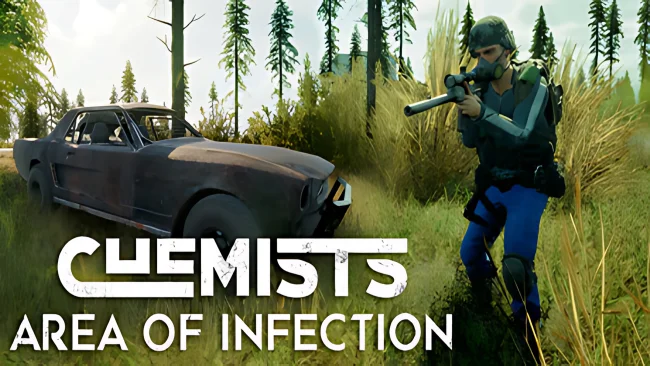
CHEMISTS Area of infection Free Download

CHEMISTS Area of infection Free Download

Enjoying this game? Rate it!
Table of Contents
  1. Game Overview
  2. Screenshots
  3. Installation
  4. System Requirements
  5. Setup Guide & Troubleshooting

Game Overview

CHEMISTS Area of infection PC Download

CHEMISTS: Area of Infection didn’t start with a grand moment—it started with confusion. I woke up in a hospital with no memory, no answers, and no idea where I was. The world outside was silent, broken, and cold. I wasn’t told what to do. I just knew I had to survive and that meant paying attention—real attention—to everything: paths I’d taken, places I’d seen, and the faintest sounds echoing through abandoned towns.

The world of CHEMISTS: Area of Infection is big, but not in the usual way. It's not about checking off map markers, but also making it about remembering landmarks, noticing subtle clues, and slowly building your own understanding of how to stay alive. There’s no hand-holding. Just thirst, hunger, stamina, and a creeping sense that the world itself is watching.

Sometimes I’d find shelter in a clinic or scavenge gear in the ruins. Other times, I’d fight off wolves and bandits just to keep what I’d found. Every small win felt earned. And between those moments, I’d catch myself staring at the landscape, wondering what it used to be before everything fell apart.

CHEMISTS: Area of Infection didn’t rush me. It let me soak in the quiet, piece together the past, and shape my own story. Not through dialogue, but through experience—the kind that leaves dirt under your nails and questions in your head. After battling outbreaks and biohazards in CHEMISTS Area of Infection, Download Exchange for Lies and step into a quieter, sharper game of trust, lies, and fractured minds

Screenshots

Installation

  1. To download any game, click the button below to be redirected to any hosting site.
  2. The site can have a timer of 10 seconds, so please wait, and after that click 'download' and wait for the download to complete.
  3. After full downloading, right-click the .zip/.rar/.iso file and then select 'Extract to CHEMISTS Area of infection' (I suggest you use WinRAR).
  4. Open the folder and run the game as administrator.
  5. If you get any errors such as missing DLL errors, install the program available in the Redist or _CommonRedist folder.

System Requirements

OS
Windows 10
Processor
I5 4670
Memory
4 GB RAM
Graphics
Nvidia GTX 660ti
DirectX
Version 11
Storage
5 GB available space
Published
Updated
File size
18.5 GB
Created by
RPAX, GPC
Release date
September 9, 2026
Posted by
STEAMUNLOCKED

Something out of date or not working? Report an update

Setup Guide & Troubleshooting

How do I fix missing DLL errors for CHEMISTS Area of infection?

Open the _Redist or _CommonRedist folder in the CHEMISTS Area of infection folder. Install DirectX, Vcredist, and any other files there. Then start the game again.

What should I do if the downloaded file is corrupted?

The full file size is 18.5 GB. Make sure the download is complete. Use 7-Zip to extract it. If you still get a "file corrupted" error, download the file again.

Do I need to run CHEMISTS Area of infection as administrator?

Usually, no. Open CHEMISTS Area of infection normally from its folder. If you get a permission or save error, make sure the folder allows writing. Use administrator mode only if it is needed.

How do I update my GPU drivers for CHEMISTS Area of infection?

CHEMISTS Area of infection needs Nvidia GTX 660ti. Update your NVIDIA or AMD drivers to the latest version for better performance.

CHEMISTS Area of infection won't launch, what should I try?

First, check that the game was extracted correctly. Also check your PC system requirements. If you see an error, read the message carefully. Missing DirectX or Microsoft Visual C++ Redistributable files may need to be installed.

My antivirus is blocking CHEMISTS Area of infection, is it safe?

Do not ignore an antivirus warning. Check what your antivirus detected. Keep your antivirus turned on. Do not open or restore the file unless you know the warning is a false positive. If you are not sure, keep the file quarantined.

Need more help? Join our Telegram or Discord community, or contact us.

You May Also Like

0 Comments

Comments are moderated. Plain text only — links aren't allowed.