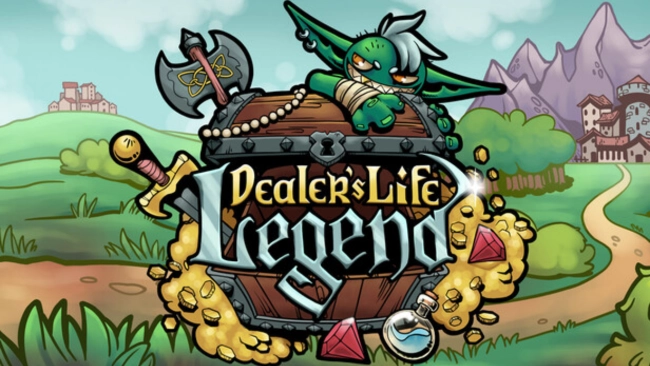
Dealer’s Life Legend Free Download

Dealer’s Life Legend Free Download

Enjoying this game? Rate it!
Table of Contents
  1. Game Overview
  2. Screenshots
  3. Installation
  4. System Requirements
  5. Setup Guide & Troubleshooting

Game Overview

Dealer's Life Legend PC Download

Dealer’s Life Legend takes everything I loved about the original series and throws it into a magical, moving caravan. I started as a humble traveling merchant wandering through the Pecunian Empire, buying and selling quirky treasures — some valuable, some cursed. The thrill wasn’t just in haggling or growing my gold stash; it was in reading people, spotting fakes, and mastering every negotiation like my life (or soul) depended on it.

But what really hooked me was the twist: now I wasn’t stuck in one shop. My caravan was my store, and the whole empire became my marketplace. Each city had its own vibe and rewards — some great for auctions, others perfect for shady deals. I found myself hiring clerics to lift curses, brewing potions to sway stubborn customers, and also recruiting companions who could fight or fetch on my behalf.

Every choice I made — helping a rival trader or sabotaging them — came back later, changing how the world treated me. I even customized my merchant’s look and backstory to suit my playstyle. Sure, it carries the spirit of the previous games, but the world here is deeper, more reactive, and full of surprises.

Dealer’s Life Legend isn’t just about making money. It’s about turning every little deal into an adventure. And whether you’re bluffing a noble, brainwashing a bandit, or escaping a cursed sale, every moment pushes you to prove that you are the best dealer in town.

Screenshots

Installation

  1. To download any game, click the button below to be redirected to any hosting site.
  2. The site can have a timer of 10 seconds, so please wait, and after that click 'download' and wait for the download to complete.
  3. After full downloading, right-click the .zip/.rar/.iso file and then select 'Extract to Dealer’s Life Legend' (I suggest you use WinRAR).
  4. Open the folder and run the game as administrator.
  5. If you get any errors such as missing DLL errors, install the program available in the Redist or _CommonRedist folder.

System Requirements

OS
Windows XP and up
Processor
64bit CPU, 1 Ghz and up
Memory
1 GB RAM
Graphics
512MB +
DirectX
Version 9.0
Storage
150 MB available space
Published
Updated
File size
217 MB
Created by
Abyte Entertainment
Release date
July 22, 2026
Posted by
STEAMUNLOCKED

Something out of date or not working? Report an update

Setup Guide & Troubleshooting

How do I fix missing DLL errors for Dealer’s Life Legend?

Open the _Redist or _CommonRedist folder in the Dealer’s Life Legend folder. Install DirectX, Vcredist, and any other files there. Then start the game again.

What should I do if the downloaded file is corrupted?

The full file size is 217 MB. Make sure the download is complete. Use 7-Zip to extract it. If you still get a "file corrupted" error, download the file again.

Do I need to run Dealer’s Life Legend as administrator?

Usually, no. Open Dealer’s Life Legend normally from its folder. If you get a permission or save error, make sure the folder allows writing. Use administrator mode only if it is needed.

How do I update my GPU drivers for Dealer’s Life Legend?

Dealer’s Life Legend needs 512MB +. Update your NVIDIA or AMD drivers to the latest version for better performance.

Dealer’s Life Legend won't launch, what should I try?

First, check that the game was extracted correctly. Also check your PC system requirements. If you see an error, read the message carefully. Missing DirectX or Microsoft Visual C++ Redistributable files may need to be installed.

My antivirus is blocking Dealer’s Life Legend, is it safe?

Do not ignore an antivirus warning. Check what your antivirus detected. Keep your antivirus turned on. Do not open or restore the file unless you know the warning is a false positive. If you are not sure, keep the file quarantined.

Need more help? Join our Telegram or Discord community, or contact us.

You May Also Like

0 Comments

Comments are moderated. Plain text only — links aren't allowed.