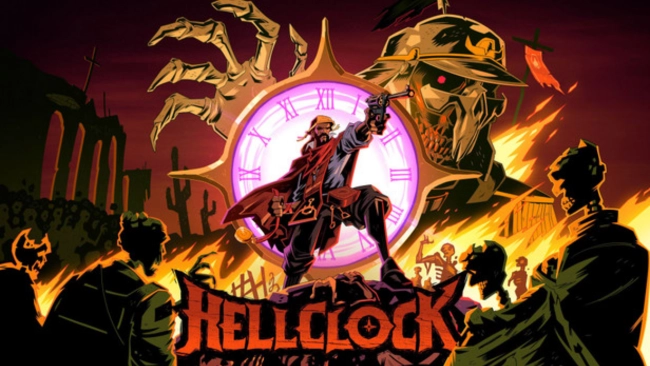
Hell Clock Free Download

Hell Clock Free Download

Enjoying this game? Rate it!
Table of Contents
  1. Game Overview
  2. Screenshots
  3. Installation
  4. System Requirements
  5. Setup Guide & Troubleshooting

Game Overview

Hell Clock PC Download

Hell Clock dragged me into its nightmare—and I didn't want to leave. You're Pajeú, a warrior fueled by grief and rage, diving headfirst into cursed dungeons to rescue the soul of your fallen mentor, The Counselor. This isn’t just another fantasy tale—it’s soaked in the blood-soaked legacy of Brazil’s War of Canudos, reimagined as a brutal roguelike ARPG.

Every second I stayed alive, I got stronger. Time bends in this place, and with each descent, I unlocked new relics and blessings—stacking builds so wild they felt unfair. One run I was slicing through hordes with a lightning-fast blade; the next, I was ringing Canudos' great bell like a war drum and smashing entire mobs into dust. No run plays the same twice.

Loot is everywhere, but nothing’s handed to you. Every relic I found told a story of rebellion, pain, and power—each one changing the way I played. The deeper I went, the more twisted the enemies became—grotesque incarnations of colonizers, drenched in symbolism and shadow. The difficulty? Relentless. But fair.

What really got me was how personal it felt. This game isn’t just about action. It’s about reclaiming history, honoring resistance, and turning trauma into power. Whether you go in for fast-paced carnage or choose a more thoughtful approach with Relaxed Mode, Hell Clock meets you there.

And when the main campaign ends? The Endgame Ascension kicks in—with Hell Mode, Penances, and divine Promises that give the game near-endless replayability. If the sorrowful warrior’s path and twisting time mechanics of Hell Clock pulled you in, then Download BRUTAL JOHN 2 as it will contrast your journey with explosive rage, savage justice, and a neon world ruled by violence and vengeance.

Screenshots

Installation

  1. To download any game, click the button below to be redirected to any hosting site.
  2. The site can have a timer of 10 seconds, so please wait, and after that click 'download' and wait for the download to complete.
  3. After full downloading, right-click the .zip/.rar/.iso file and then select 'Extract to Hell Clock' (I suggest you use WinRAR).
  4. Open the folder and run the game as administrator.
  5. If you get any errors such as missing DLL errors, install the program available in the Redist or _CommonRedist folder.

System Requirements

OS
Windows 10
Processor
Intel Core i5 2500 or AMD FX-4350
Memory
8 GB RAM
Graphics
nVidia GTX 1060 / AMD RX 580 with 6GB of VRAM
DirectX
Version 11
Storage
2 GB available space
Published
Updated
File size
3.75 GB
Created by
Rogue Snail
Release date
July 22, 2026
Posted by
STEAMUNLOCKED

Something out of date or not working? Report an update

Setup Guide & Troubleshooting

How do I fix missing DLL errors for Hell Clock?

Open the _Redist or _CommonRedist folder in the Hell Clock folder. Install DirectX, Vcredist, and any other files there. Then start the game again.

What should I do if the downloaded file is corrupted?

The full file size is 3.75 GB. Make sure the download is complete. Use 7-Zip to extract it. If you still get a "file corrupted" error, download the file again.

Do I need to run Hell Clock as administrator?

Usually, no. Open Hell Clock normally from its folder. If you get a permission or save error, make sure the folder allows writing. Use administrator mode only if it is needed.

How do I update my GPU drivers for Hell Clock?

Hell Clock needs nVidia GTX 1060 / AMD RX 580 with 6GB of VRAM. Update your NVIDIA or AMD drivers to the latest version for better performance.

Hell Clock won't launch, what should I try?

First, check that the game was extracted correctly. Also check your PC system requirements. If you see an error, read the message carefully. Missing DirectX or Microsoft Visual C++ Redistributable files may need to be installed.

My antivirus is blocking Hell Clock, is it safe?

Do not ignore an antivirus warning. Check what your antivirus detected. Keep your antivirus turned on. Do not open or restore the file unless you know the warning is a false positive. If you are not sure, keep the file quarantined.

Need more help? Join our Telegram or Discord community, or contact us.

You May Also Like

0 Comments

Comments are moderated. Plain text only — links aren't allowed.