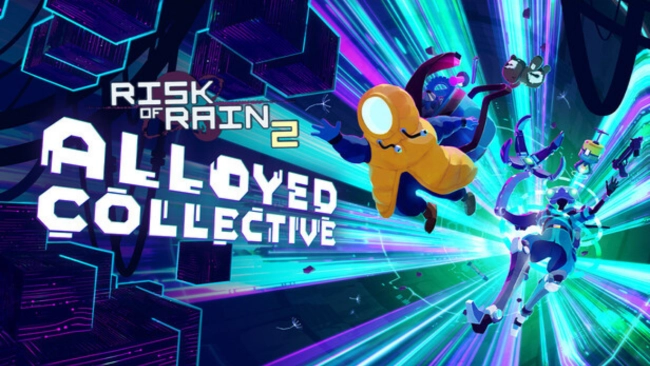
Risk of Rain 2: Alloyed Collective Free Download

Risk of Rain 2: Alloyed Collective Free Download

Enjoying this game? Rate it!
Table of Contents
  1. Game Overview
  2. Screenshots
  3. Installation
  4. System Requirements
  5. Setup Guide & Troubleshooting

Game Overview

Risk of Rain 2: Alloyed Collective PC Download

Risk of Rain 2: Alloyed Collective felt like diving back into a world I thought I already understood, only to realize it still had whole layers I’d never seen before. The first time I dropped into those broken cliffs, everything felt harsher — darker metal, stranger shapes, little sounds that made me feel like something was watching from inside the walls. I kept moving anyway, mostly because standing still felt worse.

Learning the two new survivors felt like trying to speak two different languages at once. Operator made me feel almost too powerful at first — sending drones out, calling them back, chaining weird commands together until the battlefield lit up with explosions and fire. Sometimes I’d mess up and send a drone flying somewhere stupid, but even that made me laugh a little.

Drifter was the opposite. Heavy, wild, unpredictable. Picking up junk from enemies and deciding whether to burn it fast or save it for something bigger always felt like juggling pieces of a machine I barely understood. Throwing things — enemies, chests, whatever I could grab — felt strangely freeing, like all the chaos finally made sense for a moment.

The new stages made everything feel fresh again. Wandering through rusted tunnels, stumbling into oil-soaked deserts, climbing humming cables while strange machines stared from the dark, it all felt bigger than my usual runs.

And if you like exploring worlds that always seem to have one more surprise waiting, you might also want to download Wallpaper Engine, because it gives you that same feeling of watching something familiar come alive in a new way.

Screenshots

Installation

  1. To download any game, click the button below to be redirected to any hosting site.
  2. The site can have a timer of 10 seconds, so please wait, and after that click 'download' and wait for the download to complete.
  3. After full downloading, right-click the .zip/.rar/.iso file and then select 'Extract to Risk of Rain 2: Alloyed Collective' (I suggest you use WinRAR).
  4. Open the folder and run the game as administrator.
  5. If you get any errors such as missing DLL errors, install the program available in the Redist or _CommonRedist folder.

System Requirements

OS
Windows 7 or newer, 64-bit
Processor
Intel Core i3-6100 / AMD FX-8350
Memory
4 GB RAM
Graphics
GTX 580 / AMD HD 7870
DirectX
Version 11
Storage
4 GB available space
Published
Updated
File size
4.53 GB
Created by
Gearbox Software
Release date
November 18, 2026
Posted by
STEAMUNLOCKED

Something out of date or not working? Report an update

Setup Guide & Troubleshooting

How do I fix missing DLL errors for Risk of Rain 2: Alloyed Collective?

Open the _Redist or _CommonRedist folder in the Risk of Rain 2: Alloyed Collective folder. Install DirectX, Vcredist, and any other files there. Then start the game again.

What should I do if the downloaded file is corrupted?

The full file size is 4.53 GB. Make sure the download is complete. Use 7-Zip to extract it. If you still get a "file corrupted" error, download the file again.

Do I need to run Risk of Rain 2: Alloyed Collective as administrator?

Usually, no. Open Risk of Rain 2: Alloyed Collective normally from its folder. If you get a permission or save error, make sure the folder allows writing. Use administrator mode only if it is needed.

How do I update my GPU drivers for Risk of Rain 2: Alloyed Collective?

Risk of Rain 2: Alloyed Collective needs GTX 580 / AMD HD 7870. Update your NVIDIA or AMD drivers to the latest version for better performance.

Risk of Rain 2: Alloyed Collective won't launch, what should I try?

First, check that the game was extracted correctly. Also check your PC system requirements. If you see an error, read the message carefully. Missing DirectX or Microsoft Visual C++ Redistributable files may need to be installed.

My antivirus is blocking Risk of Rain 2: Alloyed Collective, is it safe?

Do not ignore an antivirus warning. Check what your antivirus detected. Keep your antivirus turned on. Do not open or restore the file unless you know the warning is a false positive. If you are not sure, keep the file quarantined.

Need more help? Join our Telegram or Discord community, or contact us.

You May Also Like

0 Comments

Comments are moderated. Plain text only — links aren't allowed.