Thymesia Free Download

Thymesia Free Download

Enjoying this game? Rate it!
Table of Contents
  1. Game Overview
  2. Screenshots
  3. Installation
  4. System Requirements
  5. Setup Guide & Troubleshooting

Game Overview

Thymesia PC Download

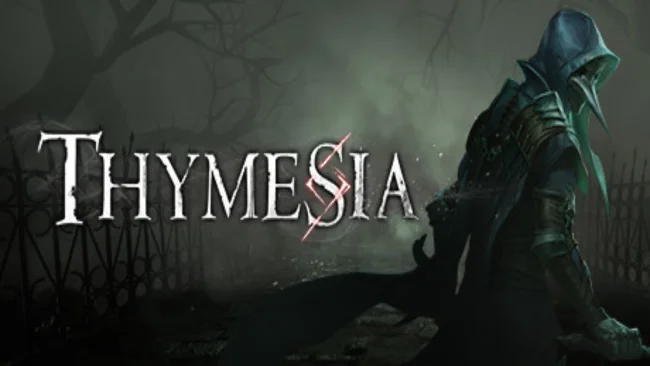
Thymesia felt like stepping into a place that had already given up long before I arrived. The whole kingdom of Hermes looked like a memory that went wrong, and every corner felt heavy with something sick and forgotten. Walking as Corvus made it even stranger — like I was trying to remember who I was while the world around me kept crumbling.

The first time I fought one of those twisted creatures, my hands actually tensed. Everything moved fast, sharper than I expected, and I had to rely on instinct more than anything else. Stealing weapons from enemies felt brutal but also weirdly satisfying, like I was using pieces of the world against itself.

What really stuck with me were the memories scattered around. Every time I touched one, I hoped it would make things clearer, but most of them only added more questions. It felt like trying to put together a broken mirror — sometimes I saw something familiar, and sometimes it felt like looking at a stranger.

Shifting into that raven form made the fights feel almost dreamlike. I’d dart forward, throw feathers, then jump back before something huge took my head off. Winning never felt clean. It always felt like scraping through by whatever strength I had left.

The kingdom itself seemed to breathe around me. Empty streets, blood-soaked floors, dark alleys full of things I didn’t want to see twice. Every step felt like walking through someone’s nightmare, but I kept going because Corvus didn’t really have a choice.

By the time I reached deeper parts of the story, I wasn’t sure if I was uncovering the truth or just chasing another shadow. But somehow, that made the whole journey stick with me even more.

And if you enjoy dark worlds that pull you in step by step, you might also want to download Goat Simulator 3 – Baadlands: Furry Road, because even though it’s wild and chaotic, it has that same feeling of diving into a world that reacts to every strange thing you do.

Screenshots

Installation

  1. To download any game, click the button below to be redirected to any hosting site.
  2. The site can have a timer of 10 seconds, so please wait, and after that click 'download' and wait for the download to complete.
  3. After full downloading, right-click the .zip/.rar/.iso file and then select 'Extract to Thymesia' (I suggest you use WinRAR).
  4. Open the folder and run the game as administrator.
  5. If you get any errors such as missing DLL errors, install the program available in the Redist or _CommonRedist folder.

System Requirements

OS
Windows 10 (64 Bit)
Processor
Intel Core i5 or AMD Ryzen 5
Memory
8 GB RAM
Graphics
NVIDIA GeForce GTX 950 or Radeon HD 7970
DirectX
Version 12
Storage
16 GB available space
Published
Updated
File size
6.1 GB
Created by
OverBorder Studio
Release date
August 18, 2026
Posted by
STEAMUNLOCKED

Something out of date or not working? Report an update

Setup Guide & Troubleshooting

How do I fix missing DLL errors for Thymesia?

Open the _Redist or _CommonRedist folder in the Thymesia folder. Install DirectX, Vcredist, and any other files there. Then start the game again.

What should I do if the downloaded file is corrupted?

The full file size is 6.1 GB. Make sure the download is complete. Use 7-Zip to extract it. If you still get a "file corrupted" error, download the file again.

Do I need to run Thymesia as administrator?

Usually, no. Open Thymesia normally from its folder. If you get a permission or save error, make sure the folder allows writing. Use administrator mode only if it is needed.

How do I update my GPU drivers for Thymesia?

Thymesia needs NVIDIA GeForce GTX 950 or Radeon HD 7970. Update your NVIDIA or AMD drivers to the latest version for better performance.

Thymesia won't launch, what should I try?

First, check that the game was extracted correctly. Also check your PC system requirements. If you see an error, read the message carefully. Missing DirectX or Microsoft Visual C++ Redistributable files may need to be installed.

My antivirus is blocking Thymesia, is it safe?

Do not ignore an antivirus warning. Check what your antivirus detected. Keep your antivirus turned on. Do not open or restore the file unless you know the warning is a false positive. If you are not sure, keep the file quarantined.

Need more help? Join our Telegram or Discord community, or contact us.

You May Also Like

0 Comments

Comments are moderated. Plain text only — links aren't allowed.