Bygone Dreams Free Download

Bygone Dreams Free Download

Enjoying this game? Rate it!
Table of Contents
  1. Game Overview
  2. Screenshots
  3. Installation
  4. System Requirements
  5. Setup Guide & Troubleshooting

Game Overview

Bygone Dreams PC Download

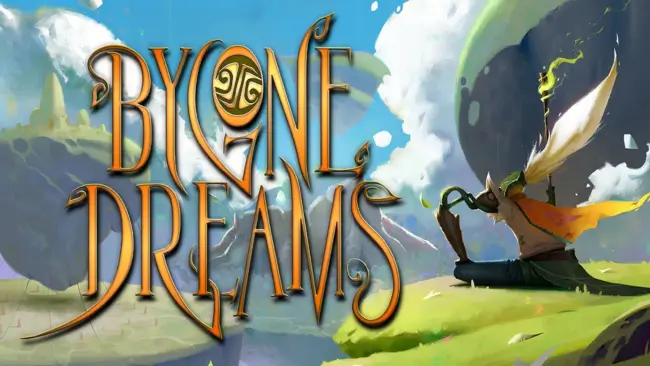
Bygone Dreams pulled me into a world unlike any I’ve ever seen, as I stepped into the role of Wa, a spirit born within the dream realm of Lume—now slipping into darkness as a terrible Nightmare spreads. Everything felt surreal and hauntingly beautiful, like walking through a forgotten legend shaped by Slavic mythology and Bosnian folklore.

My quest? You must awaken the ancient Guardians—once protectors of the dream—now turned evil by the spreading corruption. Each encounter with them was intense—epic boss fights that demanded both patience and creativity. The combat gave me flexibility with swords, spells, and ranged attacks as well, and using these, I could shape my approach however I wanted, but it was more than just fights. Puzzles and exploration slowed the pace just enough to let the world sink in.

​The music was a constant presence—fifty original tracks that moved with me, from somber strings in dark woods to powerful chants during battle. The world itself had no hand-holding. I often wandered, unsure of where to go next, but I didn’t mind. It added to the dreamlike quality, like I was uncovering forgotten stories buried in the mist.

Yes, some things could’ve been clearer—the UI felt rough in places, and I sometimes wished for a journal or quest hint—but the experience stayed with me. By the time I faced the final Guardian, I wasn’t just trying to beat a game—I was trying to restore the very fabric of a world falling apart in its sleep. If exploring the myth-bound dreamscape of Bygone Dreams left you wanting more, Download Chronicles of the Wolf and track monsters through cursed woods and forgotten ruins.

Screenshots

Installation

  1. To download any game, click the button below to be redirected to any hosting site.
  2. The site can have a timer of 10 seconds, so please wait, and after that click 'download' and wait for the download to complete.
  3. After full downloading, right-click the .zip/.rar/.iso file and then select 'Extract to Bygone Dreams' (I suggest you use WinRAR).
  4. Open the folder and run the game as administrator.
  5. If you get any errors such as missing DLL errors, install the program available in the Redist or _CommonRedist folder.

System Requirements

OS
Windows 10
Processor
Intel Core i5-4590 or AMD FX 8350
Memory
8 GB RAM
Graphics
NVIDIA GTX 1050Ti or AMD Radeon R9 270X
DirectX
Version 11
Storage
20 GB available space
Published
Updated
File size
20.0 GB
Created by
Prime Time
Release date
June 20, 2026
Posted by
STEAMUNLOCKED

Something out of date or not working? Report an update

Setup Guide & Troubleshooting

How do I fix missing DLL errors for Bygone Dreams?

Open the _Redist or _CommonRedist folder in the Bygone Dreams folder. Install DirectX, Vcredist, and any other files there. Then start the game again.

What should I do if the downloaded file is corrupted?

The full file size is 20.0 GB. Make sure the download is complete. Use 7-Zip to extract it. If you still get a "file corrupted" error, download the file again.

Do I need to run Bygone Dreams as administrator?

Usually, no. Open Bygone Dreams normally from its folder. If you get a permission or save error, make sure the folder allows writing. Use administrator mode only if it is needed.

How do I update my GPU drivers for Bygone Dreams?

Bygone Dreams needs NVIDIA GTX 1050Ti or AMD Radeon R9 270X. Update your NVIDIA or AMD drivers to the latest version for better performance.

Bygone Dreams won't launch, what should I try?

First, check that the game was extracted correctly. Also check your PC system requirements. If you see an error, read the message carefully. Missing DirectX or Microsoft Visual C++ Redistributable files may need to be installed.

My antivirus is blocking Bygone Dreams, is it safe?

Do not ignore an antivirus warning. Check what your antivirus detected. Keep your antivirus turned on. Do not open or restore the file unless you know the warning is a false positive. If you are not sure, keep the file quarantined.

Need more help? Join our Telegram or Discord community, or contact us.

You May Also Like

0 Comments

Comments are moderated. Plain text only — links aren't allowed.