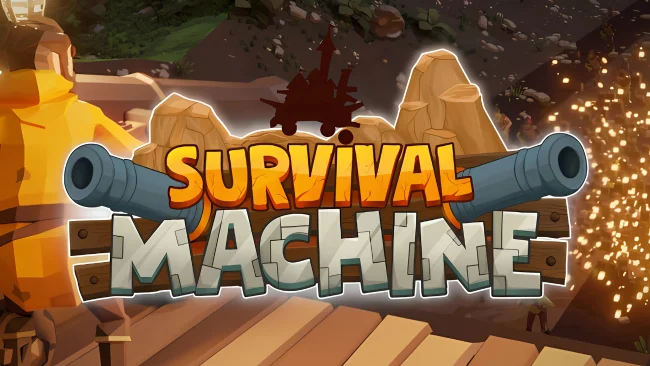
Survival Machine Free Download

Survival Machine Free Download

Enjoying this game? Rate it!
Table of Contents
  1. Game Overview
  2. Screenshots
  3. Installation
  4. System Requirements
  5. Setup Guide & Troubleshooting

Game Overview

Survival Machine PC Download

Survival Machine throws you into a colourful, co-op survival world where your base isn’t static—it’s rolling through the wilderness on a giant, upgradable vehicle. With up to 4 players, you’ll explore biomes, gather resources, fend off zombies, and build a fortress atop your mobile Machine to survive increasingly challenging nights.

During the day, it’s all about exploration and crafting. You’ll glide, zipline, and platform through diverse terrains, collecting materials and blueprints. These help expand your Machine’s functions and your ability to stay alive, so when come nightfall, the game shifts to tower defence: waves of zombies attack, and you must fight back using traps, weapons, and deployable defences like ballistae and cannons.

Combat is simple but currently underwhelming for some players, and weapon durability has been noted as a frustration early on. While building and managing your mobile base is the real hook, specific tasks, like bridge building, can feel tedious.

Still, the charm, co-op fun, and creative base-building offer something fresh in the survival genre. For players who enjoy Raft or They Are Billions, Survival Machine brings a brighter tone and mobile twist worth watching as it evolves in Early Access. After fighting through chaos on wheels, download FREERIDE and take a different kind of ride—one that reveals truths not about the world, but about you.

Screenshots

Installation

  1. To download any game, click the button below to be redirected to any hosting site.
  2. The site can have a timer of 10 seconds, so please wait, and after that click 'download' and wait for the download to complete.
  3. After full downloading, right-click the .zip/.rar/.iso file and then select 'Extract to Survival Machine' (I suggest you use WinRAR).
  4. Open the folder and run the game as administrator.
  5. If you get any errors such as missing DLL errors, install the program available in the Redist or _CommonRedist folder.

System Requirements

OS
Windows 10
Processor
Intel Core i5-6400 (2.7 GHz 4 Core) / AMD Ryzen 5 1500X (3.5 GHz 4 Core) or equivalent
Memory
16 GB RAM
Graphics
NVIDIA GeForce GTX 1060 (req. 6GB VRAM) / AMD Radeon RX 580 (req. 6GB VRAM) / Intel ARC A380
DirectX
Version 11
Storage
15 GB available space
Published
Updated
File size
5.18 GB
Created by
Grapes Pickers
Release date
May 7, 2026
Posted by
STEAMUNLOCKED

Something out of date or not working? Report an update

Setup Guide & Troubleshooting

How do I fix missing DLL errors for Survival Machine?

Open the _Redist or _CommonRedist folder in the Survival Machine folder. Install DirectX, Vcredist, and any other files there. Then start the game again.

What should I do if the downloaded file is corrupted?

The full file size is 5.18 GB. Make sure the download is complete. Use 7-Zip to extract it. If you still get a "file corrupted" error, download the file again.

Do I need to run Survival Machine as administrator?

Usually, no. Open Survival Machine normally from its folder. If you get a permission or save error, make sure the folder allows writing. Use administrator mode only if it is needed.

How do I update my GPU drivers for Survival Machine?

Survival Machine needs NVIDIA GeForce GTX 1060 (req. 6GB VRAM) / AMD Radeon RX 580 (req. 6GB VRAM) / Intel ARC A380. Update your NVIDIA or AMD drivers to the latest version for better performance.

Survival Machine won't launch, what should I try?

First, check that the game was extracted correctly. Also check your PC system requirements. If you see an error, read the message carefully. Missing DirectX or Microsoft Visual C++ Redistributable files may need to be installed.

My antivirus is blocking Survival Machine, is it safe?

Do not ignore an antivirus warning. Check what your antivirus detected. Keep your antivirus turned on. Do not open or restore the file unless you know the warning is a false positive. If you are not sure, keep the file quarantined.

Need more help? Join our Telegram or Discord community, or contact us.

You May Also Like

0 Comments

Comments are moderated. Plain text only — links aren't allowed.